Templates


Turn your firm’s expertise into Templates your team and agents can use.
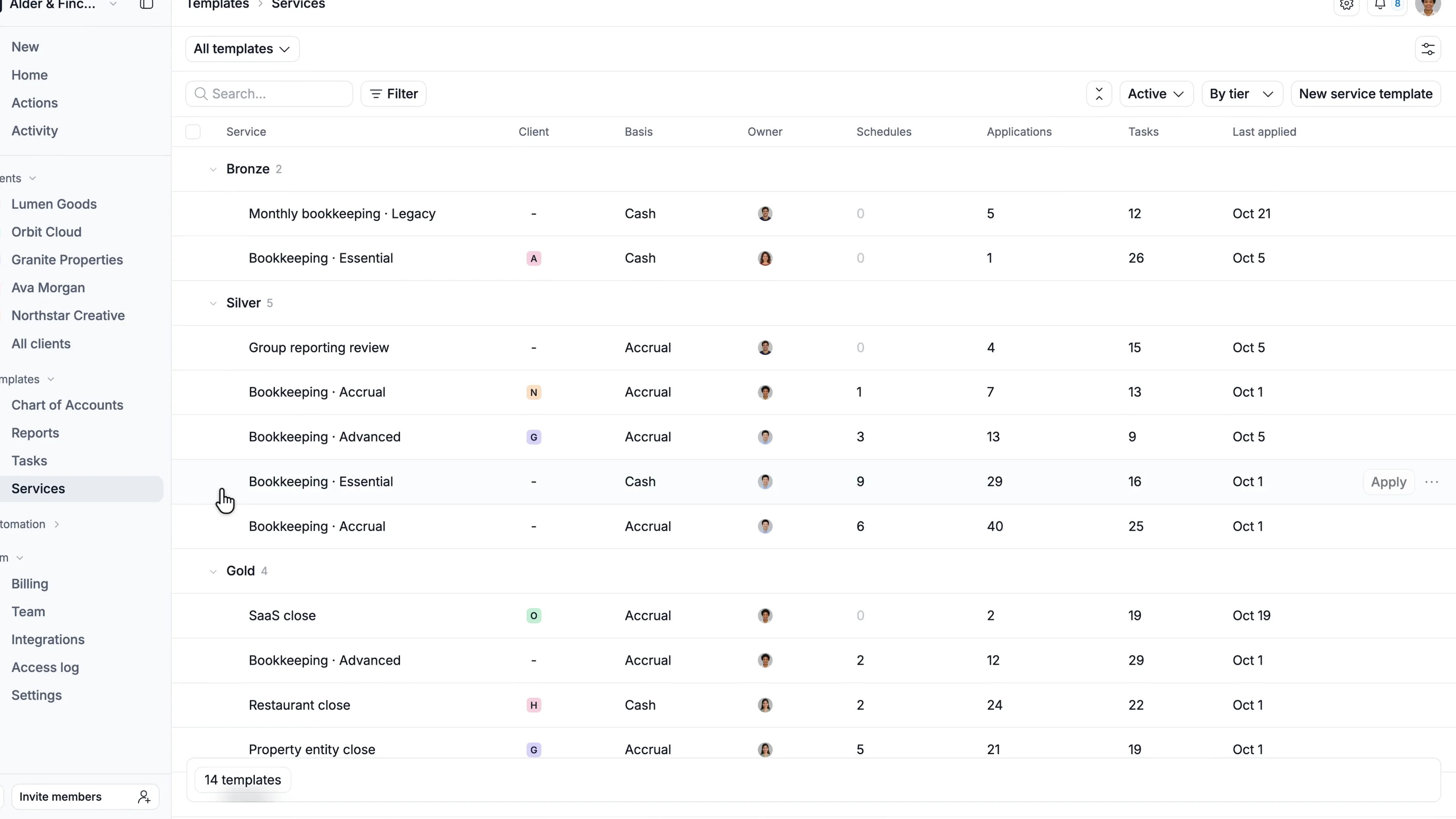
Your processes, reports, and account structures are valuable IP.
When they’re spread across documents, spreadsheets, and people’s heads, they’re hard to put to work.
With Kick, manage your services, tasks, Chart of Accounts, and reports in one template library.
Apply them across your book of business, and Kick fills in the client-specific details so your team can focus on the work.
What we’re sharing today:
Service templates
Turn your firm’s process into a repeatable close, from the overall structure to the details of each task.
- Organize work into customizable stages, from intake through preparation and review
- Map which tasks block others and what needs to happen first
- Define responsibilities, due dates, and time estimates for each step
- Schedule recurring work and tailor the process to individual clients
Task templates
- Configure Actions, filters, and columns to match how your team works
- Save instructions so your team knows what to check and how to complete the task
- Start with Kick’s templates or create your own, then reuse them across clients
When you apply a template, Kick fills in the client-specific details. A “collect bank statements” task becomes a request for statements from that client’s actual accounts, ready to send.
Firm templates
Standardize account structures and reporting across clients with Chart of Accounts and Report templates.
MCP
With Kick MCP, describe your team’s workflows or reporting standards to your AI assistant, review the templates it creates, and refine them as your approach evolves.
If you’re already managing workflows elsewhere, turn your existing processes and instructions into templates in Kick with MCP.
Get started
Open the Templates group in your firm view, then choose Services or Tasks to create your first close template.
Already managing closes elsewhere? Bring your existing workflows into Kick as Templates with support from our team.
Sign up and book a demo to start managing your closes in Kick.
That wraps launch week.