Revenue Recognition


Continuous Revenue Recognition is now available in Kick, giving you a live view of the revenue you’ve earned.
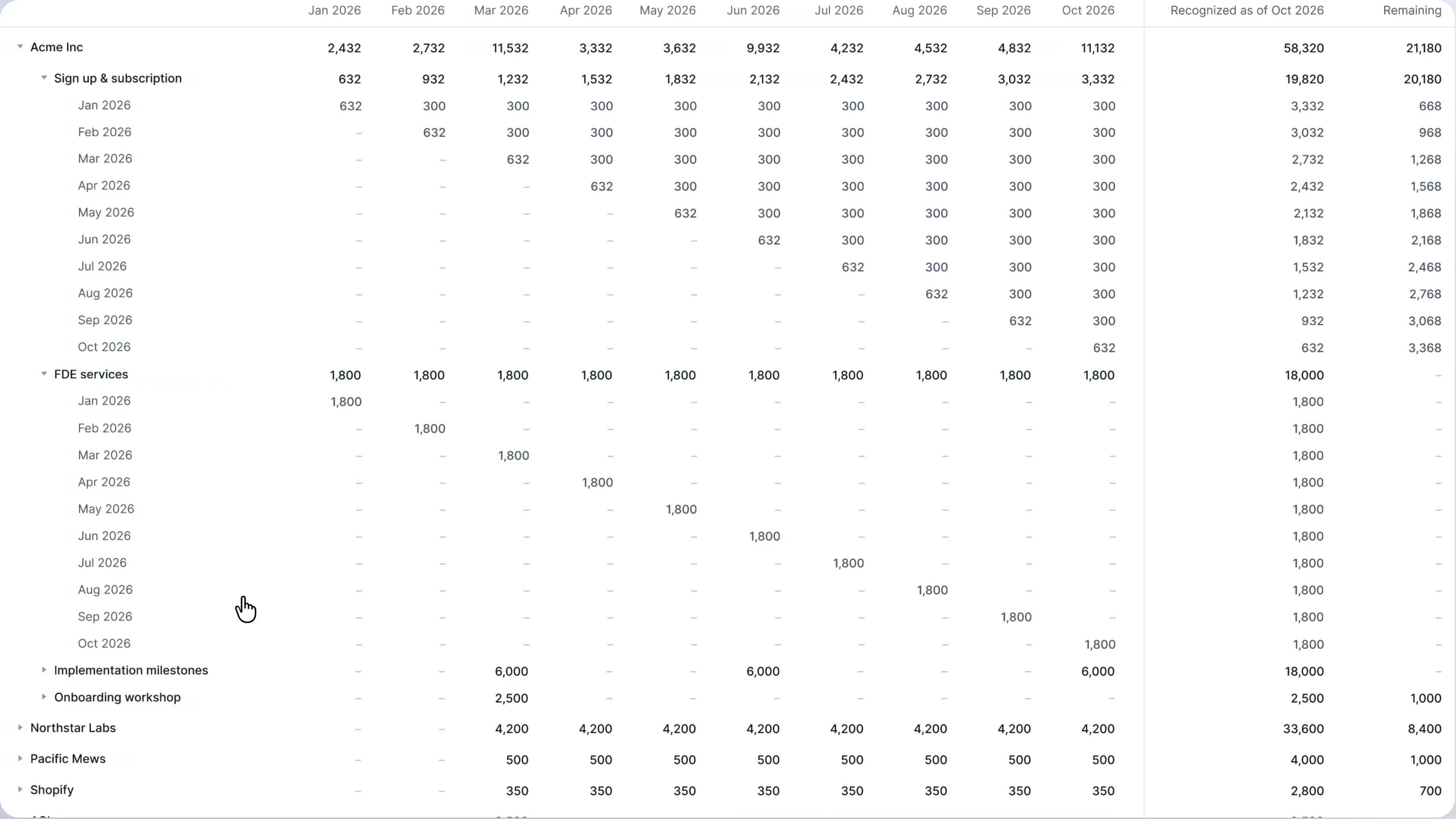
Knowing how much revenue you’ve earned shouldn’t take a spreadsheet.
Manual schedules need updating with every new invoice or contract change. With Kick, revenue recognition is continuous: your policies apply automatically, your reports stay current, and you review what needs your attention.
Here’s what you get:
Continuous Revenue Recognition
Customized recognition policies
- Recognize revenue straight-line, daily pro rata, at a point in time, or by milestone
- Combine methods in one policy, like a setup fee with a straight-line subscription
- Apply different policies to individual line items on the same invoice
Automated recognition
- Automatically apply policies to new invoices and payments using rules you define
- Match payments to invoices to prevent duplicate recognition of the same revenue
- Close tasks flag recognition schedules that need your approval
Live insights & reporting
- View waterfall and rollforward reports that update as recognition entries post
- Drill into revenue by customer and policy to see source invoices or payments
- Track each contract’s recognition history and schedule changes
AI & MCP
With Kick MCP, you can build your own tailored revenue recognition workflows that combine your contract terms, data from other tools, and instructions in Claude or ChatGPT:
- Read this contract and draft a schedule combining straight-line, milestone, and point-in-time recognition
- Check my project management tool and mark milestones complete for this schedule
- Scan client emails and Slack conversations for contract changes missing from the CRM, and suggest schedule updates for my review in Kick
- Use our ARR/MRR skill with Kick to share a live link with your investors in Google Sheets
If you run or keep the books for a business in software, professional services, construction, or media, set up your policies in Kick for a live view of earned revenue.
To get started, start your free trial of the Advanced Plan, open the Revenue recognition tab and apply your policies.