Kick Invoicing


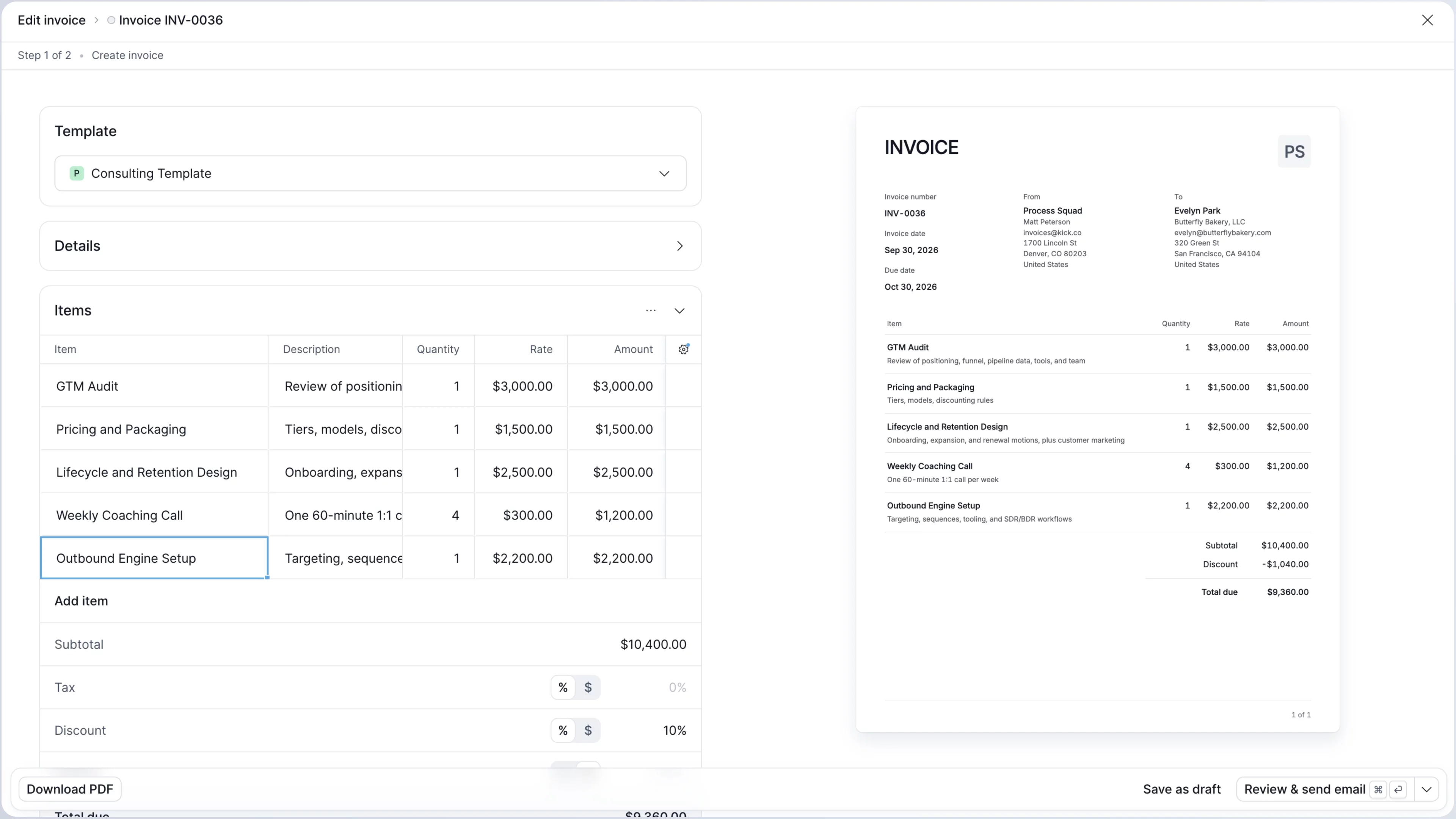
Sending your invoice should be the easiest part of making money, so today Kick is launching free invoicing with zero added fees.
Other invoicing tools can take a percentage of your revenue, so the more you grow, the more you pay.
And to get started, your first invoice takes a lot of setup, customization is limited, and things break down once the accounting gets complex.
With Kick, invoicing is simple and customizable for business owners, built to manage your most complex accounting workflows, and entirely controllable from your AI assistant of choice.
Everyone on Kick today gets:
Simple enough for daily use
- Create and send an invoice in a few clicks
- Customize everything on your own invoice, and save it as a template for the future
- Handle invoice emails and follow-ups directly from Kick
Advanced enough for accountants
Kick is built to handle the complexity accountants actually face, from line-level coding to automated AR reconciliation.
Line items
- Code each line to its own account, customizing both the income and receivable side
- Assign classes at the line item level to handle detailed location and project tracking
- Edit line items across invoices in bulk, the same way you work through transactions
Reporting
- Generate AR Summary and Detail reports that can be filtered by class and aging period
- Control how every line books to the ledger, including sales tax, discounts, and deposits
- Invoice status changes automatically generate journal entries, including complex scenarios like partial uncollectibles
Automated AR reconciliation
- Integrated payments match with open invoices automatically
- Matches are surfaced for your approval when payments are made outside of Kick
- Confirm matches in bulk to reconcile AR in one-click
Prompt to invoice
With Kick MCP, you can create, review, and send invoices from Claude or ChatGPT, wherever you are including your phone:
- “Invoice Acme $4,200 for the March retainer, net 30”
- “Which invoices are overdue?”
- “Send a reminder to everyone past 30 days”
Or you can setup your Agent to proactively monitor your inbox for contracts, flag opportunities for follow ups, and create tasks for you to action in Kick.
To get started
Switching to Kick Invoicing is a no-brainer if you’re currently relying on another accounting software to do your invoicing. But if you’re using a dedicated invoicing tool you can sync your invoices into Kick to automate your reconciliation and reporting.
Kick Invoicing is available today, on all plans. Payments available on the Basic plan or above. Head to the Invoicing tab to send your first invoice.