Activity


Delegate more to your team and agents, with a full audit log and controls to undo their changes.
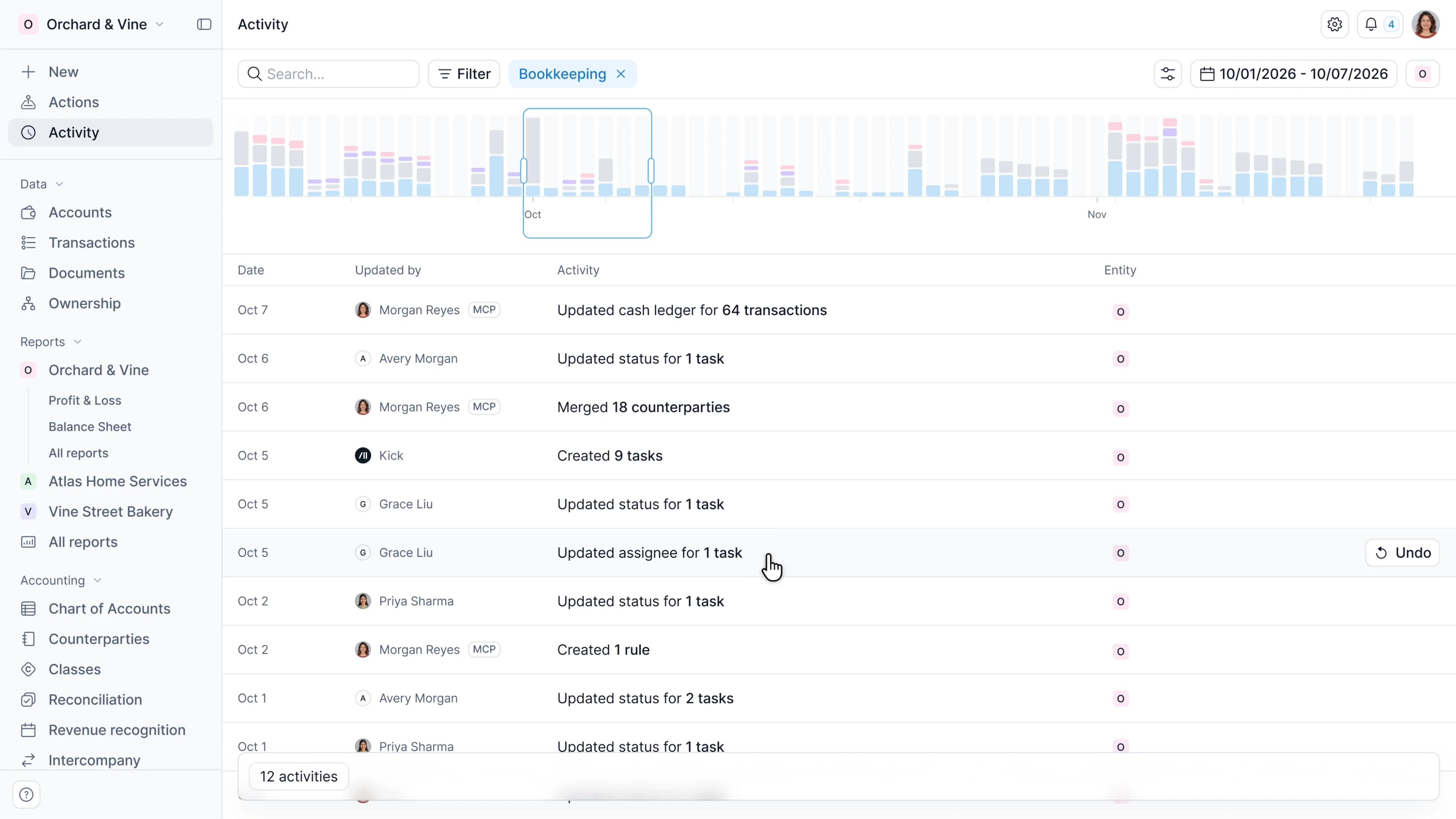
Your firm is in control of the books, no matter who does the work.
As more people and agents work on your clients’ books, you need to know what changed, who changed it, and when to step in.
With Activity, follow changes across your firm, then open a client’s workspace to inspect the details. See version history for transactions and journals, and undo any change in one click.
What we’re sharing today:
Firm activity
See what’s changing across your clients without opening each workspace.
- Track progress on closes and tasks
- Filter activity by date, client, who made a change, and activity type
- Open a client’s workspace when something needs a closer look
Inspect changes
Understand the work behind the results, whether it came from your team, your client, or an agent.
- Review transactions, journal entries, invoices, bills, tasks, and more
- View records that were created, updated, deleted, or reverted
- Inspect prior versions to see what’s changed
- See who made each change and when, whether it was your team, your client, an agent, or from MCP
Undo and locks
Correct work when needed and protect the periods you’ve already reviewed.
- Undo selected transactions, or an entire batch of changes
- Preview the affected transactions and related changes before confirming
- Filter for reverted activity to review what was undone
For completed periods, use multi-entity locks to prevent changes across one or multiple entities.
Get started
Open Activity to follow work across your firm, then drill into a client’s workspace to review the details.
Sign up and book a demo to see all the features in action today.
Already managing closes elsewhere? Bring your existing workflows into Kick with support from our team.
Launch week wraps tomorrow. One more release to go.